
Run your first test
Open Playwright UI Mode, select a test and review the recorded result.
Wrightbench's Run destination hosts the UI Mode supplied by the selected project's Playwright installation.
Open Run
Select Run in the centered workspace navigation. Wrightbench starts one UI Mode session for the active project and keeps it mounted while you move between Record, Run and Report.
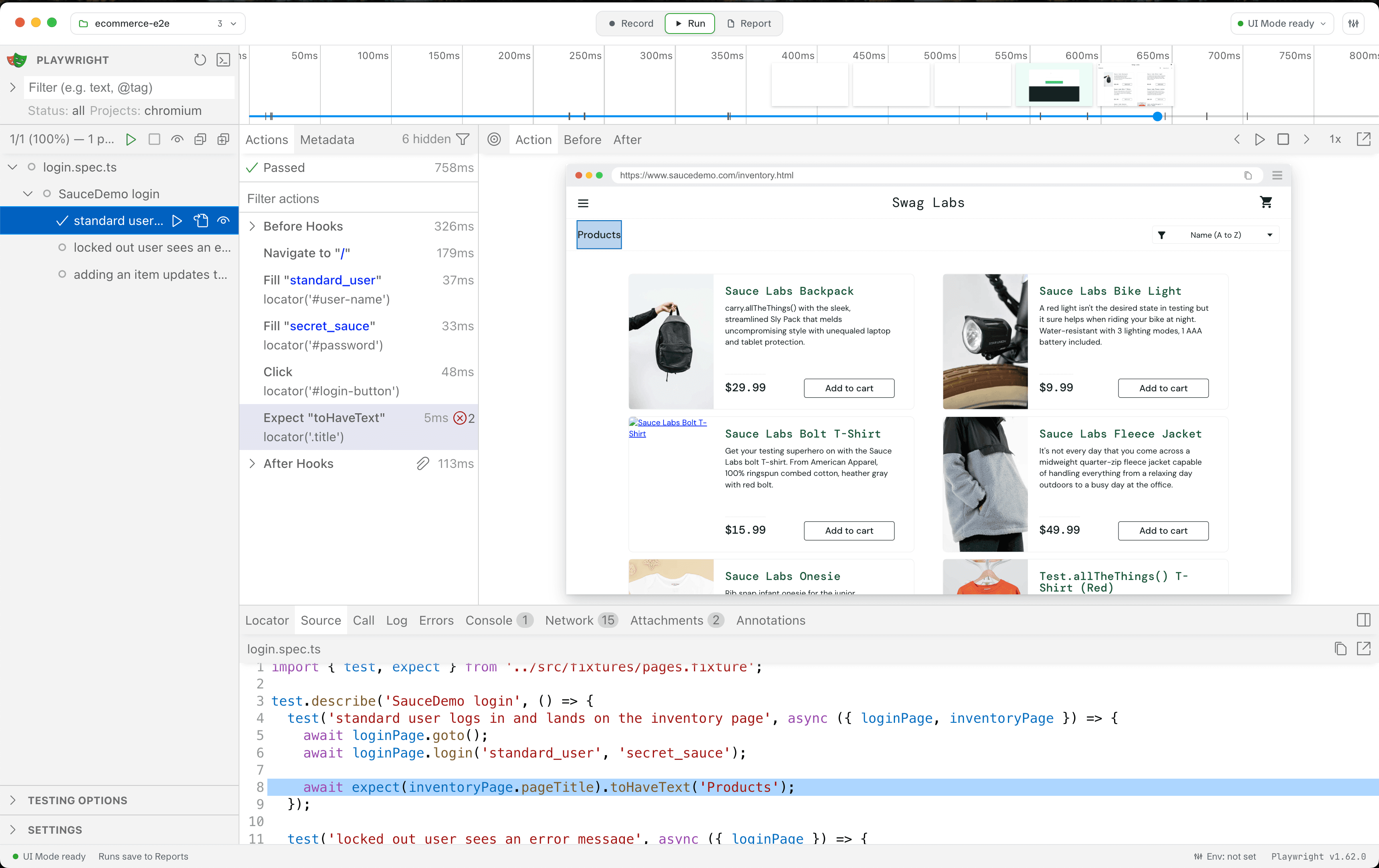
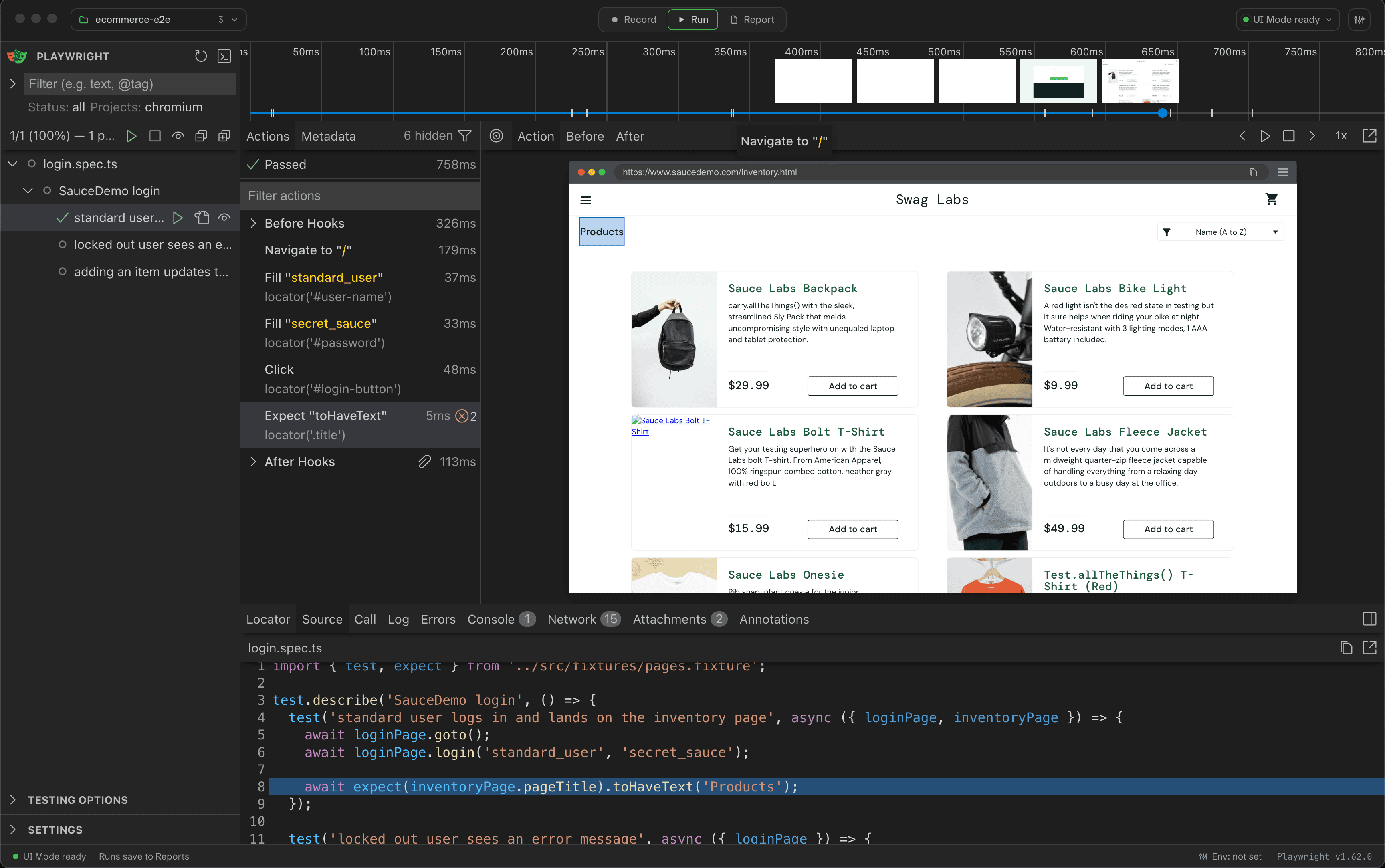
Start a test
Use Playwright's own filters and run controls inside UI Mode. Wrightbench does not scrape or restyle this surface.
Review history
Completed UI Mode runs are ingested into Wrightbench's local run history when the installed Playwright version supports recording. The embedded UI remains usable if history recording is not supported.
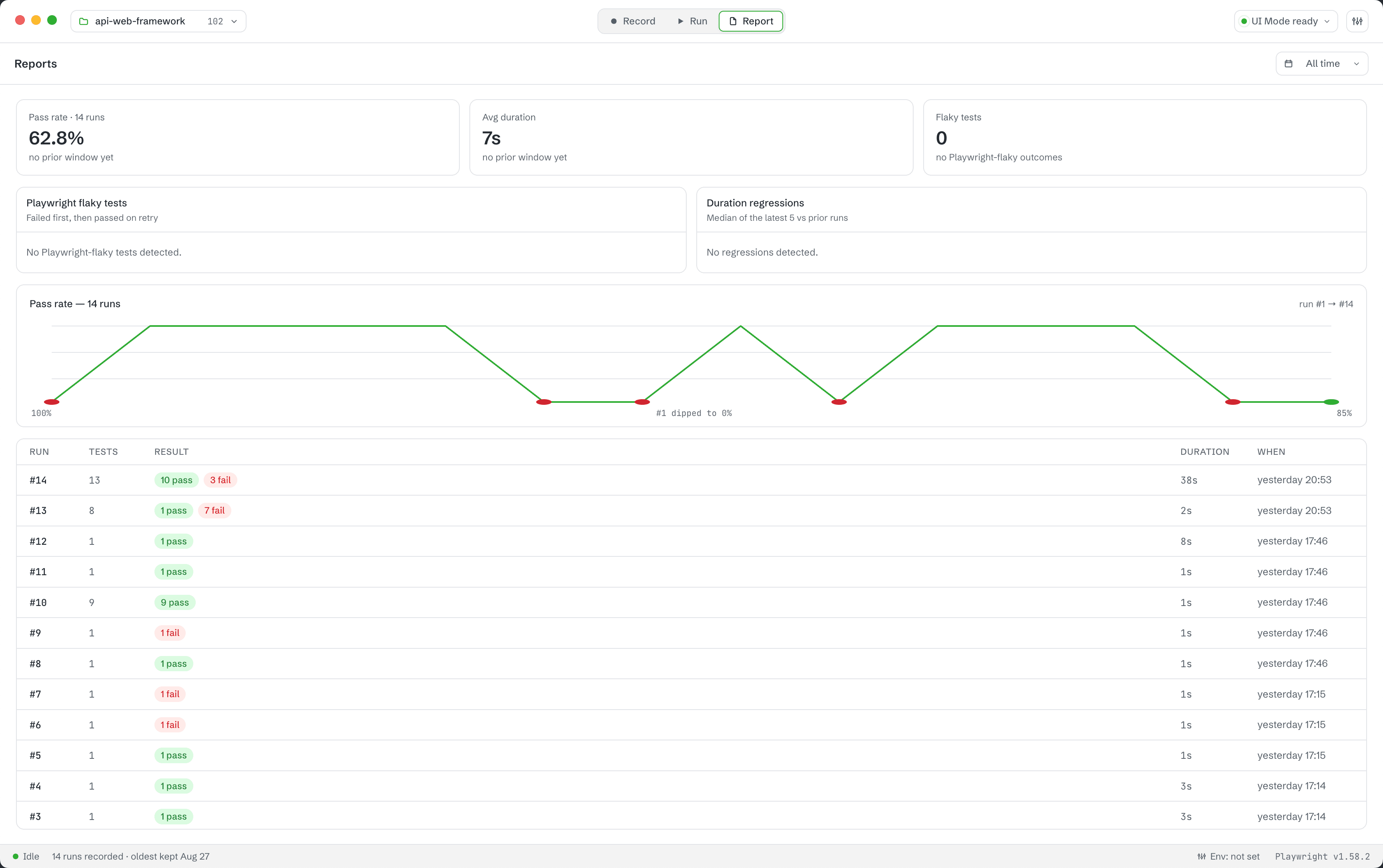
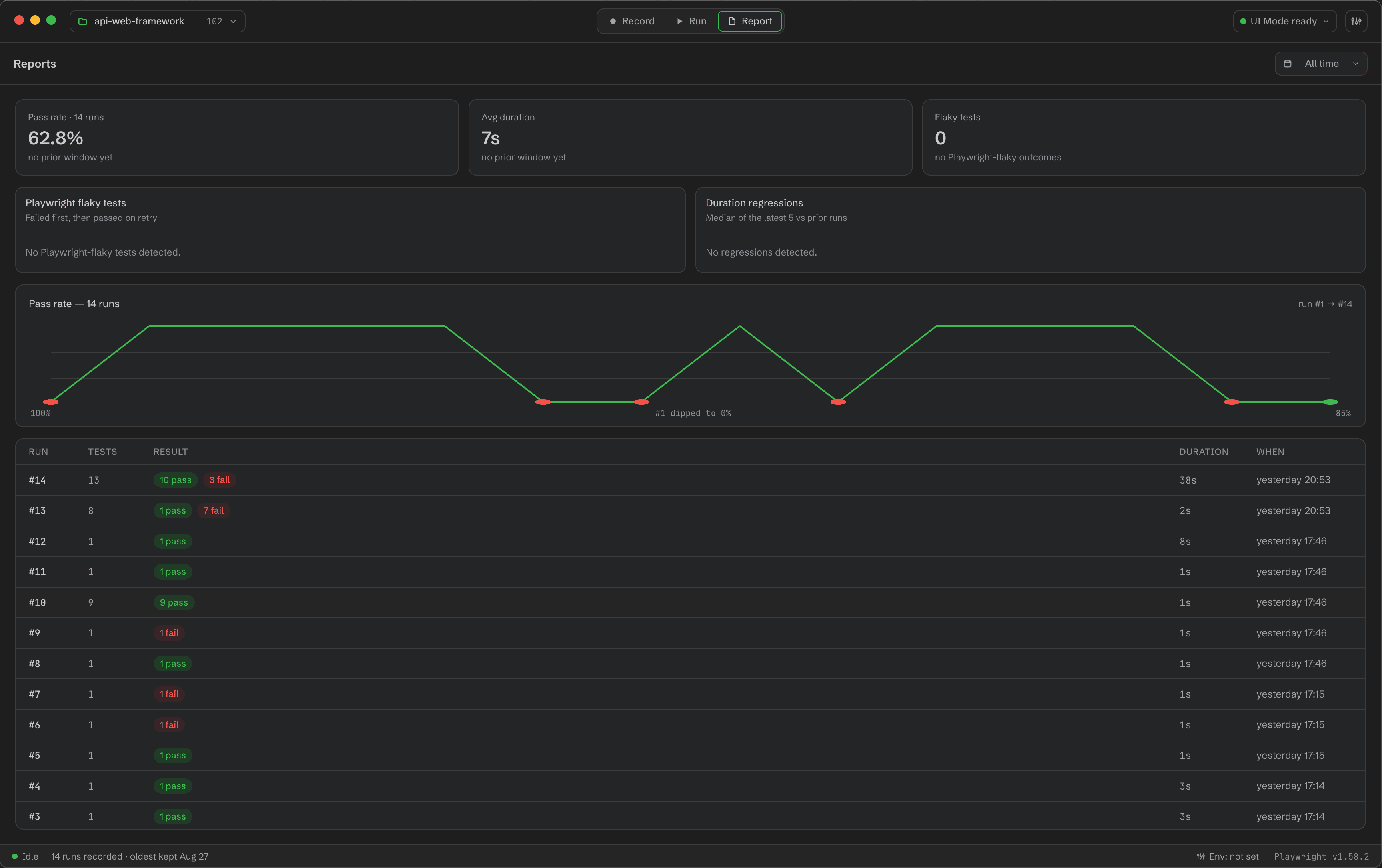
Open evidence
Failed and flaky history entries can open the exact recorded run in Playwright's Trace Viewer. CLI runs can also publish an HTML report for the Report destination.
One execution owner
Wrightbench prevents UI Mode and its Tests runner from executing against the same project at the same time, avoiding races over Playwright artifacts.